
In construction, Excel often remains the most effective tool for managing complex calculations.
Whether preparing a detailed quote, building a take-off, simulating alternatives, or establishing progress reports, it allows teams to manipulate quantities, formulas, and assumptions quickly, with a level of precision that is difficult to reproduce otherwise.
For many companies, these files have become a core part of daily operations. They contain business logic, calculation habits, and sometimes even several years of project history. So the issue is not Excel itself.
The issue appears when this data remains isolated.
When quoting files, site monitoring spreadsheets, or progress tracking documents are not connected to the rest of the project, information has to be re-entered, consolidated, or interpreted manually. Financial decisions arrive too late, deviations become difficult to explain, and coordination between site, office, and management becomes more complex.
The challenge is not to replace Excel. The challenge is to allow it to operate within a system where its data can truly support project steering.
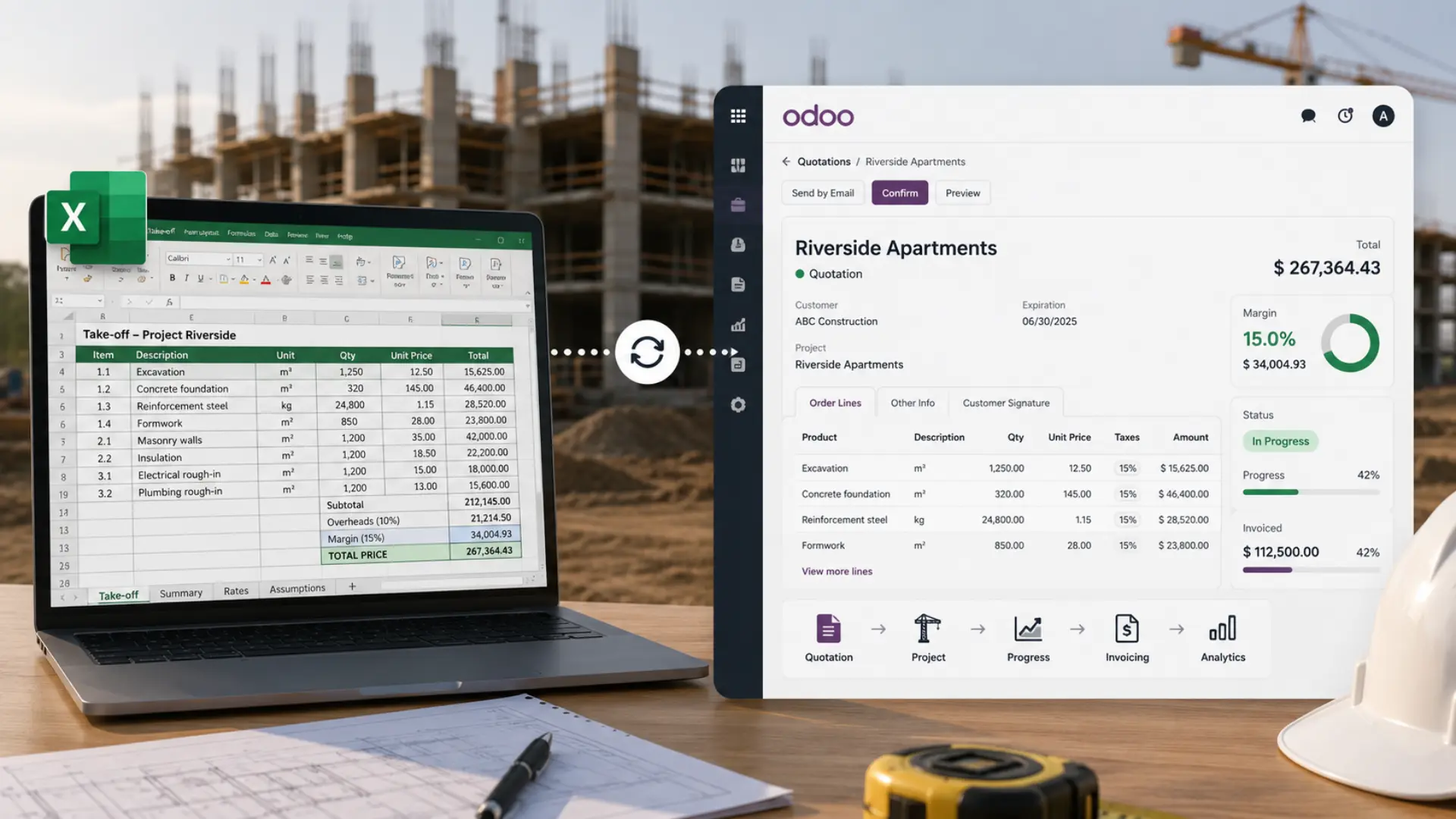
Why Excel has long been the most pragmatic tool for managing construction projects
A flexible tool, well understood and suited to on-site realities
In the construction sector, Excel naturally established itself as a central tool. It allows teams to structure a quote quickly, adjust a take-off, monitor a budget, or update a schedule without depending on a complex system. Its flexibility matches the reality of construction projects, where each site has its own constraints, specificities, and uncertainties. This flexibility explains why Excel remains widely used today, even in companies that have already structured part of their processes. It offers immediate freedom, quick usability, and adaptability that fits operational needs.
Why Excel is still widely used in construction companies
Excel is not used only out of habit. It supports very concrete needs: preparing detailed take-offs, testing cost scenarios, building internal models, or performing occasional profitability analyses. In these situations, it often remains the most efficient tool. The question is therefore not whether Excel should be abandoned. The real question is at what point the information it contains must be connected to the rest of the project to enable reliable steering.
What has changed today is not the tools, but the projects
More projects, longer timelines, and stronger interdependencies
In many construction companies, working methods have not fundamentally changed. Quotes are still carefully prepared, teams closely monitor their sites, and decisions are taken pragmatically. However, the environment in which projects evolve has transformed.
Projects are often more numerous, timelines tighter, client expectations higher, and margins more sensitive to deviations. Companies must manage multiple projects simultaneously, coordinate more stakeholders, and maintain continuous financial visibility.
In this context, isolated Excel files become difficult to consolidate. Each project has its own logic, spreadsheets, and assumptions, which complicates the overall view and delays the identification of issues.
When data remains scattered, steering becomes fragile
The real risk is not using Excel. The risk arises when the data it contains is not connected to other project dimensions.
A quote built in a separate file does not automatically update when the project evolves. A progress report created in a spreadsheet does not directly feed invoicing. A locally maintained cost tracking file is not always visible to management.
Gradually, steering relies more on manual reconciliations than on a consolidated view. Teams spend time cross-checking information, verifying figures, and reconstructing a financial reality that should be continuously accessible.
The problem is not Excel, it is the lack of connection with the rest of the project
When files become information silos
In many companies, Excel files are reliable, well structured, and fully mastered by their users. They contain critical information: quantities, prices, assumptions, margins, scenarios, or project history. The issue appears when they operate in isolation.
- A quote validated in Excel must be re-entered into the management system.
- A progress report calculated in a spreadsheet must be rewritten for invoicing.
- A local cost tracking file must be manually consolidated to obtain a global view.
At each step, data loses fluidity. It circulates through copies, emails, or interpretation, increasing the risk of errors and slowing decision-making.
The goal is no longer to replace Excel, but to connect it
Today, the question is no longer whether Excel should still be used.
In construction, it often remains the most efficient tool for structuring specific calculations.
The real challenge is enabling it to operate within a system where its data directly feeds the project: the quote, site monitoring, invoicing, and financial analysis.
This connection is what transforms an isolated file into a true management lever.
What this means concretely on a project
When data is not connected, consequences are not always immediately visible, but they appear progressively.
Actual margins become known late, often when the project is already well advanced.
Invoicing can be delayed because information must be manually checked or validated.
Managers operate with a fragmented view, dependent on individual spreadsheets rather than a shared system.
This model may hold as long as the company manages few projects or teams coordinate naturally. But as activity grows, this organization becomes fragile and difficult to sustain.
How to connect Excel to your ERP without losing your business logic
Integrate calculations instead of rebuilding them
In construction, some calculations are too specific to be entirely reproduced in a standard system. Take-offs, quote structures, or internal models are often built in Excel over years of projects and tailored to the company’s reality. The goal is therefore not to remove these files, but to allow their results to feed the project directly.
- Quantities calculated in a take-off can structure the quote.
- Pricing assumptions can populate work items.
- Variant simulations can be integrated into the commercial proposal.
The ERP does not replace business logic.
It becomes the backbone that centralizes and exploits the data produced by these calculations.

Case Example
Structuring a complex quote while keeping Excel
Some companies already have highly advanced Excel files for calculating take-offs, variants, or pricing assumptions. These models are often the result of years of field experience and represent genuine internal know-how.
Rather than rebuilding them, their calculations can directly feed the ERP quote.
Take-off quantities can structure work packages, variants can be included in the proposal, and cost assumptions can be linked to project margin.
Excel remains the calculation tool. The ERP becomes the steering tool.
Connecting quotes, progress tracking, and invoicing in one flow
Once data is connected, the quote stops being a static document. It becomes the foundation of project monitoring.
- Planned quantities can be compared to executed quantities.
- Progress reports can rely on data consistent with what was sold.
- Invoicing can be generated from structured information rather than recalculated manually.
This continuity secures cash flow, limits deviations, and provides a reliable view of profitability throughout the project lifecycle, without waiting for its completion.
Case Example
Connecting progress reports, invoicing, and profitability
In many companies, progress reports are calculated in separate Excel sheets, then rewritten for invoicing and financial monitoring. This manual step slows processes and can create discrepancies.
When progress calculations feed the ERP directly, the situation changes. Validated quantities can trigger progressive invoicing, deviations appear immediately, and profitability can be monitored continuously.
Teams keep working with their business logic.
But information finally flows without breaks between site, office, and management.
Keeping operational flexibility while gaining a global view
Integrating Excel into an ERP does not aim to rigidify processes. On the contrary, it preserves the flexibility of business calculations while giving teams a shared foundation.
- Operational teams keep using familiar tools.
- Managers gain a consolidated view of projects.
- Executives can track performance continuously, without manual consolidations.
This combination of operational flexibility and global steering often marks the real turning point in structuring a construction company.
In construction, Excel is not the problem. Data isolation is.
Excel will remain a key tool in construction for a long time. Its ability to structure take-offs, simulate alternatives, or model precise calculations makes it a natural ally for technical teams and project managers. The challenge is therefore not to replace it. The challenge is ensuring the information it contains is no longer trapped in isolated files. When data from quotes, take-offs, or progress reports directly feeds site monitoring, invoicing, and financial analysis, it stops being just calculations. It becomes a management lever.
This is often when companies reach a new level: decisions rely on consistent data, margins become visible continuously, and coordination between site, office, and management becomes smoother. Structuring projects does not mean abandoning tools. It means giving them a framework that finally allows their full value to be exploited.
👉 If you want to structure your quotes, connect site data to financial steering, and keep control over your projects, it may be worth exploring how an ERP tailored to construction can support this evolution.
Book a call

This article is part of our Odoo ERP expertise for the construction industry.
Discover how we support construction companies on our Solutions page.
Discover our Construction Solution
Quotes, take-offs, progress tracking: Excel remains essential… provided it’s connected to your ERP